
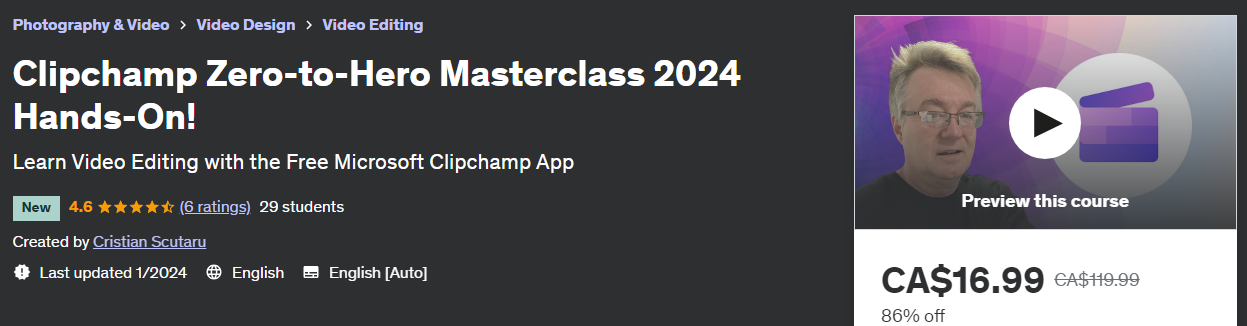
Learn video editing with the most user-friendly FREE application backed by Microsoft! With over 6 hours of video content, you’ll find here almost everything published about Clipchamp today, and way beyond. In over 50 practical hands-on exercises, I’ll start with the basics of video editing, with trimming, splitting and cropping. I’ll gradually show you how to use Clipchamp features for your goals, ending the Video Editing section with exciting and genuine tutorials on jump cuts, slow zoom effects, and amazing overlay combinations. I’ll go deep into all possible ways to create a clip with Clipchamp. And to later publish the exported file on social media or other sites.
I’ll go well beyond any other course, documentation or material I’ve read about Clipchamp. Make this your Bible about Clipchamp! With your help and support, my intent today is to keep it updated and add to this course for years to come. So you will find as well its value continually improving. It will be a good investment, as this was intended as a high-quality course.
A lot of other material I’ve seen about Clipchamp sounds more like advertising. But I will show you here precisely what works and what doesn’t (at least at this time). You’ll watch me getting excited with some amazing features, or suffering from some obvious limitations. It’s still a free and new product. And you may hate it or love it, but Clipchamp will still surprise you overall in the best possible ways. With its easy to use, and its hidden gems.
Everything I used as a software in my course is free. So you can also avoid spending money on some expensive screen recorder and video editor. Don’t look any further, if you want to edit and publish Udemy courses – just like me – or social media clips. I became an expert in Clipchamp and in basic video editing just by preparing for the next courses I want to write.
Let me share with you what I learned, and the knowledge that I acquired. Read more about here. You’ll not be disappointed, guaranteed.
Also Available on Udemy (click for a Constant Low Price!)
Curriculum
- 4 Sections
- 56 Lessons
- Lifetime
- Introduction to Clipchamp4
- Video Editing in Clipchamp22
- 2.1Introduction to the Video Editor
- 2.2Explore the Video Properties of a New Clip
- 2.3Trim, Slice and Crop
- 2.4Add Transitions and Fades
- 2.5Add Background Music and Sound Effects
- 2.6Add Animated Titles and Text
- 2.7Add Colors, Filters and Effects
- 2.8Combine Video Overlays
- 2.9Add Video Frames and Borders
- 2.10Record with Picture-in-Picture
- 2.11Add a Green Screen Filter
- 2.12Add a Green Screen Background
- 2.13Separate Audio Track and Add Captions
- 2.14Combine Audio Overlays
- 2.15Add an Audio Visualizer for Your Music
- 2.16Add a Watermark Over Your Clip
- 2.17Add Slow Zoom Effects
- 2.18Add Jump Cuts to a Video
- 2.19Add J-Cut and L-Cut Effects
- 2.20Add Text and Transition Overlays
- 2.21Create Awareness with Text and Sound Effect
- 2.22Test Your Acquired Knowledge!10 Minutes0 Questions
- Video Creation with Clipchamp18
- 3.1Introduction to the Video Creator
- 3.2Create Clip from Your Own Assets
- 3.3Create Generic Intro from Template
- 3.4Create Custom Intros from Scratch
- 3.5Create Generic Outro from Scratch
- 3.6Create Clip with Complex Intro and Outro
- 3.7Make a Logo Animation
- 3.8Record a Hands-On Screen Presentation with Narration
- 3.9Record a Hands-On Screen Presentation with Camera
- 3.10Save and Reuse Clipchamp Recordings
- 3.11Cleanup Temporary Files to Free Up Space
- 3.12Record a Full Slideshow from PowerPoint
- 3.13Record a PowerPoint Slideshow with Clipchamp Camera
- 3.14Play with Clipchamp Mobile
- 3.15Create a Clip with Text-to-Speech Voices
- 3.16Create an AI-Generated Clip
- 3.17Create a Thumbnail from a Video
- 3.18Test Your Acquired Knowledge!10 Minutes0 Questions
- Video Publishing from Clipchamp15
- 4.1Introduction to the Video Publisher
- 4.2Export a Video as a GIF
- 4.3Export a Video in MP4 Format
- 4.4Convert Any Video Into MP4 Format
- 4.5Share a Clip Online [deprecated!]
- 4.6Embed Your Video Clip [deprecated!]
- 4.7Save Exported File to Cloud Storage
- 4.8Share Clip to LinkedIn
- 4.9Create and Publish a Udemy Video
- 4.10Create and Publish a YouTube Video
- 4.11Create and Publish a TikTok Video
- 4.12Create and Publish an Instagram Video
- 4.13Create a Promo Clip for Udemy
- 4.14Test Your Acquired Knowledge!10 Minutes0 Questions
- 4.15Congratulations, You Made It!

Requirements
- No prior video editing experience needed
- No prior knowledge of Clipchamp or other similar app required
- No prior knowledge of video creation or publication
- Basic computer and media file knowledge
Features
- Basic to intermediate Video Editing skills (with jump cuts, slow zoom effects, etc.)
- Everything about Clipchamp today! A free app backed by Microsoft...
- How to create and publish video clips on social media or platforms like Udemy
- Use only free stock media files to create and publish amazing clips
- Create exciting video clips with Clipchamp from any possible source
- Share your clip online (for free) and publish it to any social media website
Target audiences
- For anyone who wants to start creating and publishing video tutorials on the net
- For those looking for a 100% FREE video processing app
- For novice users looking for a very user-friendly video editing application
- For those looking to learn about video editing techniques with little effort, in short time